Share survey
With Surveyplanet, sharing your survey is straightforward. All surveys have their own unique URL, which you can paste into an email, share on your favorite social network, or embed into your own website.
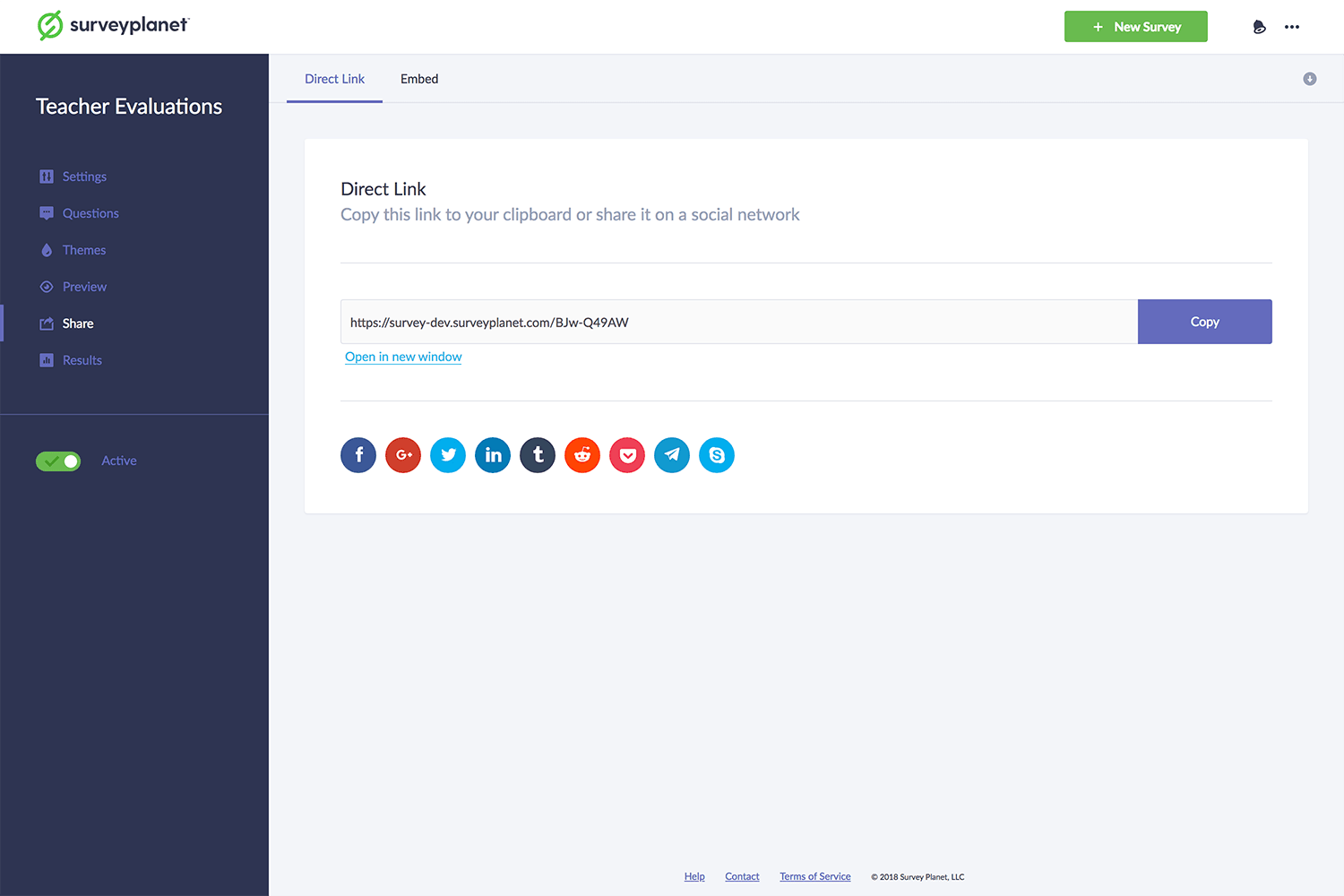
Share a survey with a direct link
- From the survey you want to share, select the Share icon .
- Select the Copy button on the right side of the URL.
- Your link is now copied. You can paste and send it to whomever you want.
Share a survey on a social network
We make it easy to share your survey using Facebook, Twitter, Google+, LinkedIn, Tumblr, Reddit, Pocket, Telegram, and Skype.
- From the survey you want to share, select the Share icon .
- Select the icon for the social network of your choice at the bottom.
- This opens a new window for the social network you choose.
- If you aren’t signed in, sign in to that social network.
- Add any message you want, and submit your post.
Meta description and thumbnail
When you share your survey on social networks, it displays a thumbnail and a meta description. Both the thumbnail and the meta description match your Welcome message. You can change your Welcome message in your Survey Settings under the Welcome & Success tab. You can read more about Welcome & Success settings here.
Embed a survey on your own site
You can embed your survey on your website using the code we provide:
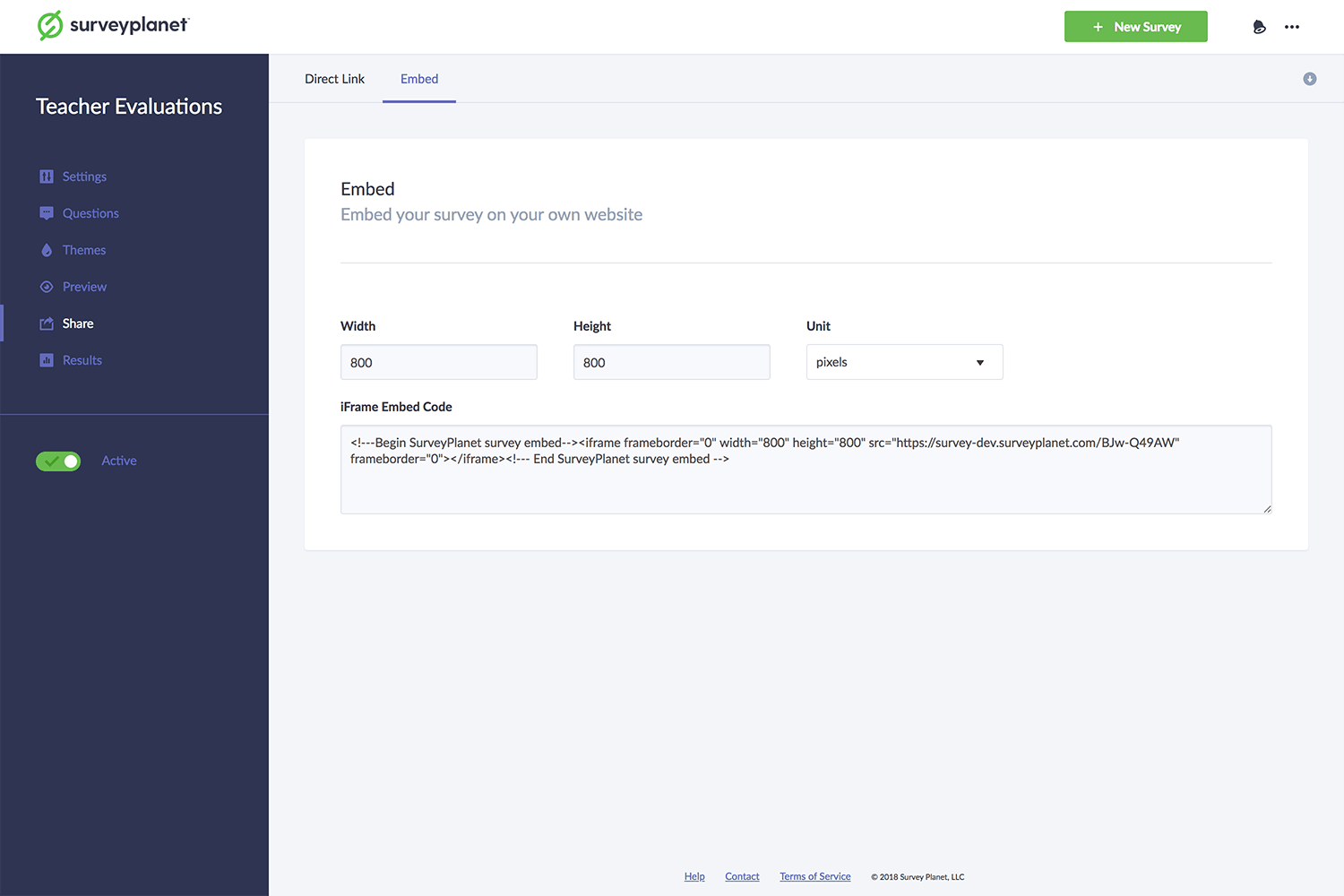
- From the survey you want to embed, select the Share icon .
- Select Embed at the top of page.
- You can change the dimensions of your survey in the Width and Height boxes as well as the Units if you’d like to use percentages.
- Copy the code in the iFrame Embed Code box.
- Paste it where you want the survey to be on your webpage.
Note: This is HTML, so you need to be in the HTML editor of your website.